Setup LEDGERS
Automated Account Management
Streamline your financial processes with LEDGERS. Automatically categorize transactions and maintain an up-to-date chart of accounts, ensuring compliance with financial standards.
Comprehensive Financial Insights
Gain valuable insights into your financial health with detailed reports and analytics, helping you make informed business decisions.
Real-Time Account Monitoring
Monitor your accounts in real-time with LEDGERS, ensuring accuracy and compliance with financial regulations.
Core Features of the Chart of Accounts Module
Smart Account Dashboard
Centralized view of all accounts, transactions, and reconciliations—complete with reminders and visual insights. Drill down by type, head, or alias instantly.
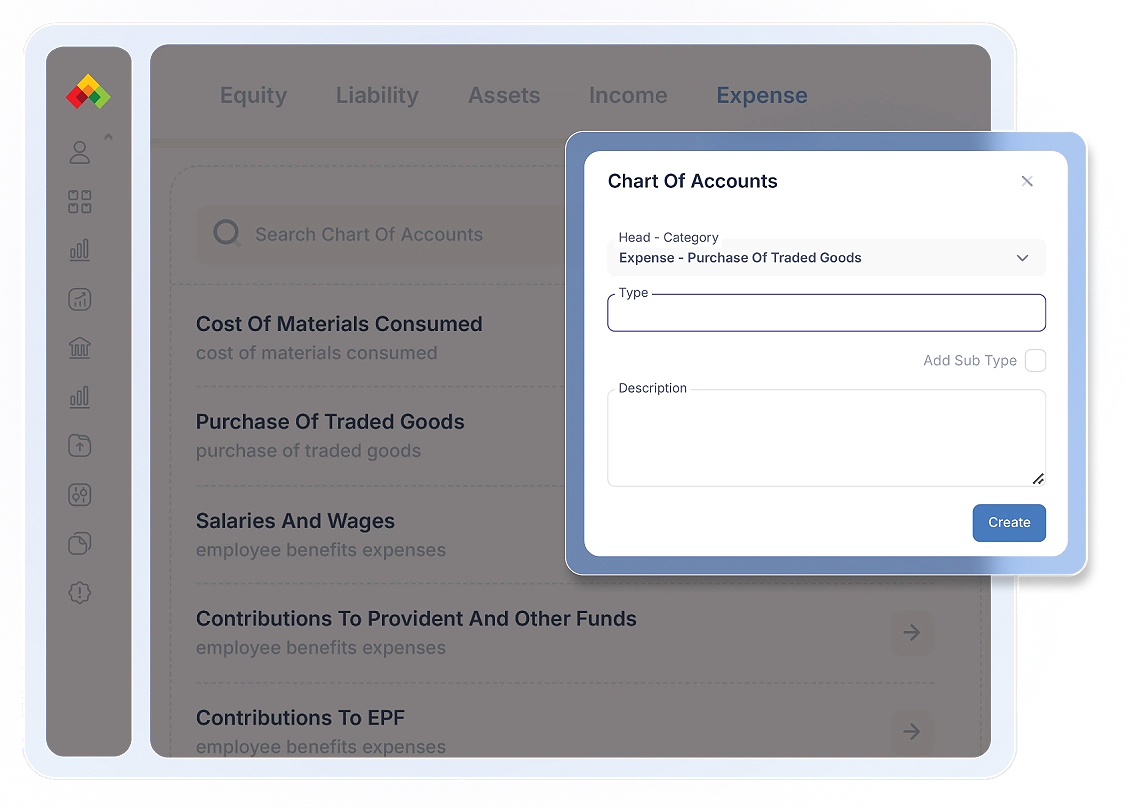
Sub-Type Customization & Splits
Create custom sub-types under any account category. Split amounts by sub-type for detailed tracking and reporting.
Alias Naming for Easy Recall
Assign alias names to any account head—so you can search or select accounts using business-friendly terms.
Transaction Date Filtering
Filter and view transactions based on specific dates to analyze financial activities and trends. Easily track amounts and gain insights into period-specific financial performance.
Manage Your Chart of Accounts Efficiently
-
Account-Wise Transactions
View transactions categorized by account type—Assets, Liabilities, Income, or Expenses—helping you analyze financial movements at a glance.
-
Search Ledger Type
Quickly search and locate any ledger or account head. Filter results by account type or keyword to access records instantly.
-
Filter by Transaction Date
Narrow down transactions using custom date filters to analyze period-specific financial activities and trends.
-
Real-Time Transaction Sync
All transactions across modules are auto-linked to the right accounts—keeping your chart always updated and ready for reconciliation or reporting.