
VAIRAVAN K
Updated on 30-07-2026
It is done monthly without fail. Somone from your finance department looks at the bank statement and the account software and starts doing what can be called a tedious exercise in reconciling transactions. The coffee gets cold. The hours melt away. And all that ends up being produced from this process is the result of what could have been achieved in half an hour.
The bank statement reconciliation process is something that almost every business dreads doing yet very few take steps towards alleviating the process. To most businesses, it seems too important to be delegated, too complex to be automated, and too risky not to be done manually.
However, this is a task that is easier to achieve through automation than what most people think it is.
On the surface, reconciliation sounds straightforward. You compare what your bank says happened with what your accounting system recorded, find discrepancies, and sort them out.
In practice, it rarely works that cleanly. Bank statements arrive in different formats depending on the institution. Some are PDFs, some are CSVs, and some require a login to download at all. Transaction descriptions rarely match what was entered into the accounting system. Fees show up without context. Timing differences between when a payment was made and when it cleared create false mismatches that someone has to manually review and clear.
When you multiply this across multiple bank accounts, multiple currencies, or a high transaction volume, you are no longer talking about a minor inconvenience. You are talking about days of work, every single month, with a very real risk of human error slipping through.
Automating reconciliation does not mean removing humans from the picture entirely. It means removing humans from the parts that do not require judgment, and letting your team focus their energy on exceptions that actually need attention.
A well built automation workflow can pull bank statement data directly from your bank or uploaded files, parse and clean the transaction data, match it against records in your accounting system using rules you define, flag unmatched items for human review, and generate a reconciliation report with full audit trail. What used to take a full day can be reduced to a task that runs overnight and lands in your inbox as a summary each morning.
Ledgers is built for exactly this kind of finance workflow automation. It handles the accounting layer, gives you structured access to your transaction data, and integrates with the tools your team already uses.
The real power comes when you connect Ledgers with an automation layer. If you want to build custom reconciliation logic, schedule it to run automatically, and connect it to external data sources like your bank feeds or ERP system, Ledgers with n8n is one of the most practical combinations available today.
n8n is a workflow automation platform that lets you visually design logic, connect APIs, and build processes that run on a schedule or in response to triggers. When paired with Ledgers, you can create a reconciliation pipeline that is tailored to how your business actually operates, without needing to write extensive code or rely on expensive custom development.
Here is what a real automated bank reconciliation flow might look like using Ledgers and n8n.
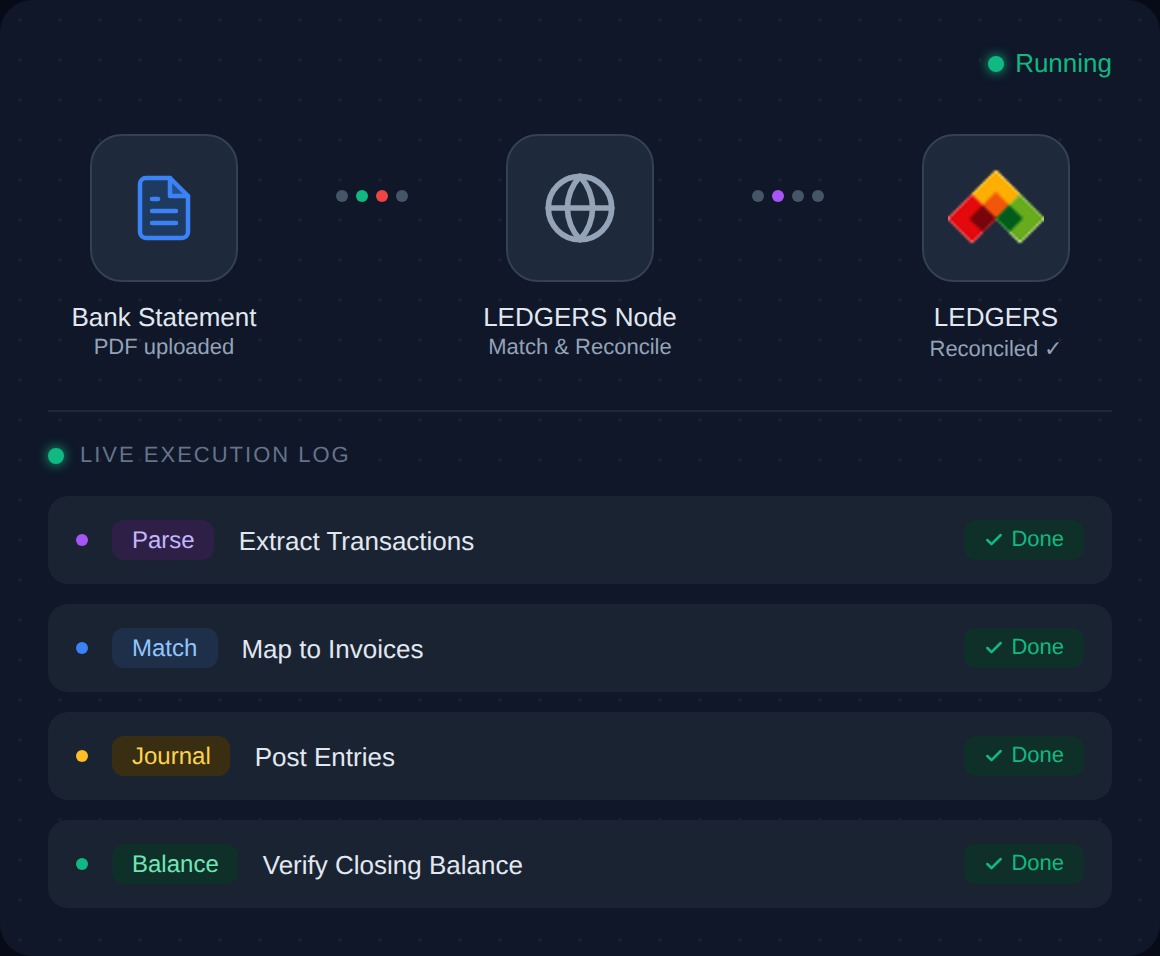
First, the workflow is triggered at a set time, say the first of each month, or whenever a new bank statement file is uploaded to a shared folder. n8n picks up the file, parses the transaction data, and structures it into a consistent format regardless of how the original statement was organized.
Next, each transaction is sent to Ledgers via API, where it is matched against existing journal entries or invoices. The matching logic can account for common real world complications such as slight date offsets, partial payments, and known fee patterns.
Transactions that match cleanly are automatically reconciled. Transactions that do not match are collected into a report and sent to the appropriate person for review, complete with context about why the match failed. Once the review is complete, a final reconciliation report is logged in Ledgers and stored for audit purposes.
The whole cycle runs without anyone needing to babysit it. Your team wakes up to a clean report and a short list of exceptions to sort through.
If you're doing reconciliations manually now, don't think about automating all at once. Your very first task is to map out precisely what your current process is: where you're getting your data from, what your rules for matching are, what kinds of exceptions are the most frequent.
From there, it's far easier to automate the process. Start small with one bank account, one set of rules for matching. Make sure your output is accurate. Then scale up.
The point isn't to do everything instantly. The point is to save yourself time on the tasks a good automation process could easily take care of, leaving you free to make the critical decisions that will drive your business forward.
Reconciliation can be a gatekeeping process. It doesn't have to be.
