




MONISHA D
Updated on
30-07-2026
How to Apply TDS While Creating an Invoice in LEDGERS Accounting Software
Tax Deducted at Source (TDS) is an integral part of the Indian taxation system. It helps in the timely collection of taxes while making a transaction rather than at the end of the financial year. Many businesses require the deduction of TDS while making transactions for services such as professional fees, contractor fees, and rental charges, among other transactions. At times, the manual process of TDS might get confusing and time-consuming while generating invoices and maintaining financial records. LEDGERS Accounting Software helps businesses simplify the TDS process by allowing the deduction of TDS while generating an invoice. With the help of automated processes and user-friendly features, businesses can easily calculate the deductions and stay compliant with tax regulations. In this guide, we will help you understand the entire process of deducting TDS while generating an invoice.
Understanding TDS and Its Importance
Before delving into the technicalities, let's explore the concept of TDS. Total Deducted at Source (TDS) is a method of collecting income tax directly from the source of income. It aims to collect revenue at the point where the income is generated rather than at the later stage of filing returns. Through TDS, the government minimizes tax evasion by collecting tax at the inception point of transactions.
Benefits of Applying TDS
- Prevention of Tax Evasion: By deducting directly at the source, TDS ensures the government receives its due revenue.
- Regular Cash Flow: It provides a sustained inflow of funds to the government, aiding public welfare activities.
- Transparent Transactions: TDS aids in the tracking of income streams, facilitating transparent operations.
Overview of LEDGERS Accounting Software
LEDGERS is one of the premier accounting solutions designed for small and medium enterprises in India. It offers a suite of features from billing to compliance, helping businesses manage their finances effectively. With LEDGERS, users enjoy seamless integration of TDS at various stages, including invoice creation, which is our main focus here.
Why Choose LEDGERS for TDS Application?
- User-Friendly Interface: LEDGERS offers intuitive navigation, simplifying TDS applications for all users.
- Regulatory Compliance: Ensures adherence to the latest legal standards and updates efficiently.
- Comprehensive Support: Provides extensive resources and customer support to aid users in troubleshooting and optimizing their accounting tasks.
How to Apply TDS While Creating an Invoice in LEDGERS
Follow these steps to apply TDS when generating an invoice in LEDGERS accounting software.
Step 1: Log in to LEDGERS
Start by logging in to your LEDGERS Accounting Software dashboard.
- Open the LEDGERS dashboard.
- Navigate to the Invoice Module.
- Click Create Invoice.
LEDGERS allows businesses to generate GST-compliant invoices with automated tax calculations and integrated accounting features.
Step 2: Select Customer and Add Invoice Details
Next, select the customer for whom the invoice is being created.
You will need to fill in details such as:
- Choose the Customer Name
- Billing address
- Invoice Date
- Invoice Number
- Payment terms
Selecting the correct customer ensures that the invoice and tax details are recorded under the right account.
Step 3: Add Products or Services
After selecting the customer, you can add the products or services included in the invoice.
Enter the following details:
- Item name
- Description
- Quantity
- Rate or price
- GST percentage (if applicable)
Once the items are added, LEDGERS automatically calculates the total taxable amount.
Step 4: Enable TDS Deduction
After entering the invoice details, locate the TDS deduction option in the invoice settings or adjustment section.
- Scroll to the Tax or Adjustment Section in the invoice screen.
- Select TDS Deduction option.
- Choose the applicable TDS section (for example: 194C, 194J, etc.).
- Enter or select the TDS percentage.
LEDGERS supports automated TDS deductions and validations to ensure accuracy and compliance with tax regulations.
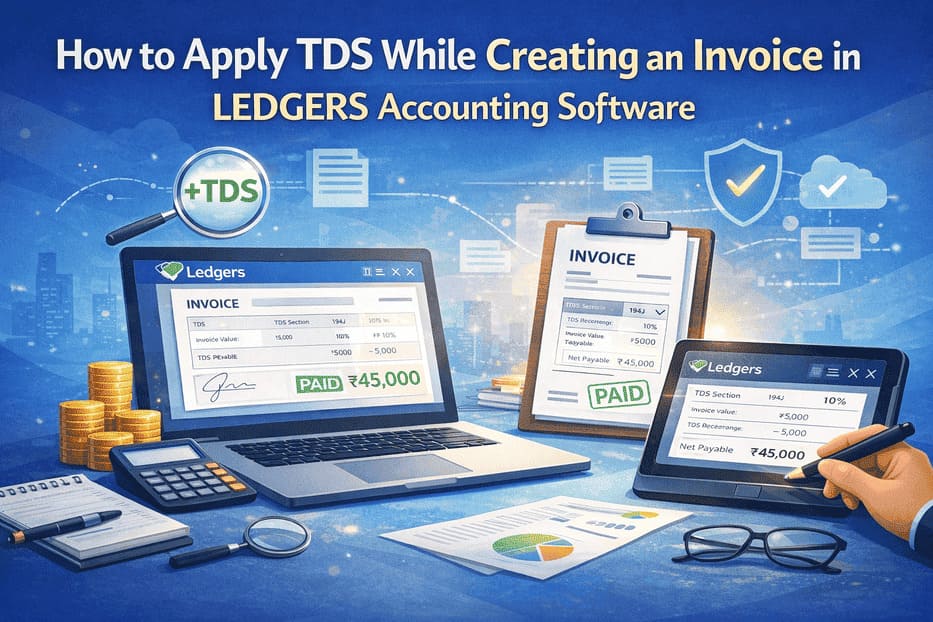
Step 5: Review TDS Calculation
LEDGERS automatically performs the required calculations once TDS is applied.
The invoice will show:
- Total taxable amount
- Applicable TDS percentage
- TDS deduction amount
- Net Payable Amount
This ensures transparency in the invoice and clearly shows the deducted tax.
Step 6: Save and Generate the Invoice
Once everything is verified:
- Click Save Invoice.
- Generate the invoice document.
- Download the invoice as PDF or send it directly to the customer.
LEDGERS allows invoices to be shared via email or exported for reporting and tax filing purposes.
Benefits of Applying TDS in LEDGERS
Using LEDGERS TDS feature to apply TDS while creating invoices offers several advantages:
Automated Tax Calculations
The software automatically calculates TDS deductions and validates transaction details.
Compliance with Indian Tax Rules
LEDGERS provides built-in modules to manage GST, TDS, and Income Tax returns within the same platform.
Error-Free Accounting
Automatic tax deductions reduce manual errors and simplify financial reporting.
Easy Return Filing
TDS data can be used directly for generating return files required for filing with the Income Tax Department.
Managing TDS Records in LEDGERS
LEDGERS also helps businesses manage TDS records efficiently.
TDS reports
Businesses can generate reports that show:
- Total TDS deducted
- Vendor-wise TDS summary
- Section-wise TDS details
Easy reconciliation
The software helps match deductions with payments and tax filings.
Better financial visibility
Businesses can easily track their tax obligations and maintain proper documentation.
Common Mistakes to Avoid While Applying TDS
While applying TDS in invoices, businesses should avoid some common mistakes.
Selecting the wrong TDS section
Each type of payment has a specific section and rate.
Incorrect deduction percentage
Always verify the applicable TDS rate before applying it.
Missing TDS records
Ensure that deductions are recorded properly in the accounting system.
Ignoring compliance deadlines
TDS must be deposited and reported within the required timelines.
Using accounting software like LEDGERS significantly reduces these risks.
Conclusion
Therefore, using TDS while creating invoices is critical for businesses that have to comply with tax requirements set by India. This is because, by recording TDS deductions, companies can ensure transparent financial records. LEDGERS Accounting Software makes it easy to apply TDS while creating invoices. This is because, using this software, you can easily calculate your TDS, which reduces the chances of making any errors while creating your invoices. This enables you to focus more on your business while ensuring you comply with tax requirements. Therefore, by following the steps highlighted in this guide, you can easily apply TDS while creating your invoices, thus helping you manage your financial transactions with confidence using LEDGERS.