




RANJITH KUMAR M
Updated on
30-07-2026
Purchase Invoice Management in LEDGERS
Introduction: Transform Your Purchase Invoice Management
Managing purchase invoices is one of the most time-consuming yet critical tasks for any business. From data entry errors to compliance headaches, traditional invoice management can drain your resources and slow down your operations. LEDGERS revolutionizes this process with intelligent automation, turning hours of manual work into minutes of effortless management.
Whether you're a small business processing dozens of invoices monthly or a growing enterprise handling thousands, LEDGERS provides the tools you need to streamline your entire procurement-to-payment cycle while ensuring complete compliance and accuracy.
The Challenge: Why Traditional Invoice Management Falls Short
Manual Data Entry Nightmares
Traditional invoice processing means manually typing data from paper or PDF invoices into your accounting system. This process is time-intensive, with each invoice taking 5-10 minutes to enter manually, error-prone with typos and misread numbers leading to accounting discrepancies, costly as staff time spent on data entry could be used for strategic tasks, and has scalable limitations where processing volume is limited by available staff hours.
Compliance Complexity
With GST, TDS, and other regulatory requirements, every invoice must be recorded with accurate tax details, reconciled against vendor records, included in compliance reports, and filed within statutory deadlines. Missing even one detail can result in penalties, failed audits, or reconciliation nightmares at year-end.
Vendor Relationship Strain
Late payments, disputed invoices, and poor record-keeping damage vendor relationships and can impact your supply chain reliability.
The LEDGERS Solution: Intelligent Purchase Invoice Automation
1. Automated Purchase Invoice Capture
Simply Upload and Extract
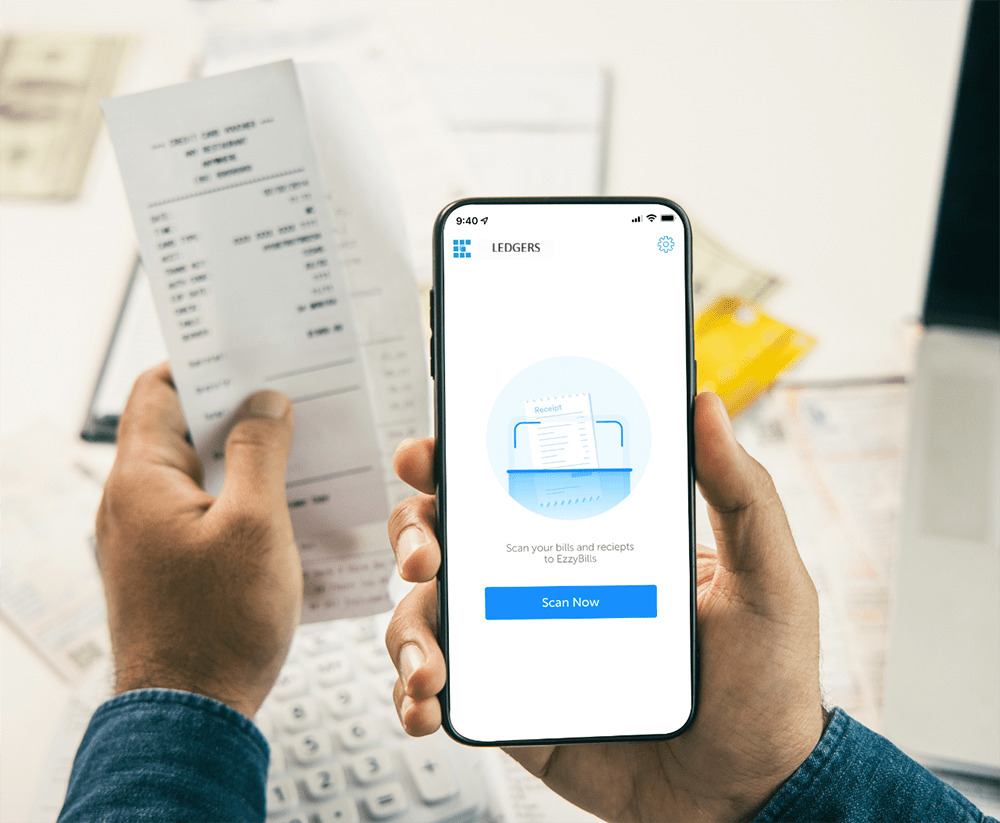
LEDGERS uses advanced OCR (Optical Character Recognition) technology to automatically read and extract data from PDF invoices. The smart extraction process works seamlessly: you upload your PDF invoice with a single click or drag-and-drop, LEDGERS' AI-powered OCR instantly scans the document, key data points are automatically identified and extracted including vendor name, invoice number, date, line items, amounts, tax details, and more, the extracted data populates directly into your purchase invoice record, and you simply review and confirm—no typing required.
The system captures vendor name and GSTIN, invoice number and date, line-by-line item details including description, quantity, rate, and amount, tax breakdowns covering CGST, SGST, and IGST, TDS information where applicable, and total amounts and payment terms. What used to take 5-10 minutes per invoice now takes under 30 seconds.
2. PDF Upload to Create Purchase Invoice
From Document to Data in Seconds
The PDF upload feature transforms physical or digital invoices into structured, searchable purchase records instantly. Key capabilities include format flexibility that works with invoices in various layouts and formats, multi-page support that handles complex invoices spanning multiple pages, intelligent recognition that identifies invoice elements even with varying formatting, validation checks that automatically flag missing or unusual data for review, and direct integration where extracted data flows directly into your LEDGERS accounting system.
This feature is perfect for email invoices from vendors, scanned paper invoices, downloaded supplier invoices, and courier or postal receipts.
3. Bulk Purchase Bill Upload Using Excel
Process Thousands of Invoices in Minutes
For businesses with high invoice volumes, manual entry simply isn't feasible. LEDGERS' bulk upload feature lets you import massive quantities of purchase data efficiently. The process is straightforward: download the Excel template that comes pre-formatted with all required fields, fill in your data by copying invoice data from your existing systems or entering manually in bulk, upload to LEDGERS by dropping the Excel file into the system, let automated processing validate and create all purchase invoice records automatically, then review and confirm with a quick review screen that shows any errors or warnings.
The template features clear column headers for every data field, built-in validation rules to catch errors before upload, support for multiple tax scenarios and line items, instructions and examples included, and compatibility with Excel, Google Sheets, and CSV formats. This is ideal for month-end bulk invoice processing, migrating historical data from old systems, processing invoices from multiple branches or locations, and handling seasonal volume spikes. You can upload thousands of invoices in a single batch without system slowdown.
Complete Purchase Invoice Management Workflow
Step 1: Import Purchase Data
LEDGERS offers multiple import methods including PDF upload for individual invoices received digitally, Excel bulk upload for processing multiple invoices at once, vendor records integration that pulls existing vendor information automatically, and manual entry for exceptional cases requiring custom input. The smart data pre-fill feature means that when you select a vendor, LEDGERS automatically populates vendor billing address and GSTIN, standard payment terms, typical tax rates for that vendor, and account codes based on historical patterns.
Step 2: Validate & Reconcile Invoices
Automated Validation Checks
LEDGERS runs multiple validation rules on every invoice to ensure accuracy. Data validation includes vendor GSTIN format and validity, invoice number uniqueness that flags duplicates, date logic that warns if dates are unusual, and calculation accuracy covering line totals, tax amounts, and invoice total. Compliance validation ensures GST rate correctness for item categories, TDS applicability and rate verification, reverse charge mechanism requirements, and input tax credit eligibility. Business logic validation includes purchase order matching if PO exists, budget checks that flag over-budget purchases, approval workflow triggers, and vendor credit limit warnings.
Reconciliation Features
The system can match invoices to purchase orders automatically, link invoices to goods receipt notes, cross-reference with payment records, and identify variances between PO and invoice amounts. The result is catching errors before they become accounting problems.
Step 3: Automate Payment Tracking
Seamless Payment Integration
Once invoices are recorded, LEDGERS helps you manage the entire payment lifecycle. Payment due tracking includes automatic calculation of due dates based on payment terms, dashboard alerts for upcoming payments, aging reports showing overdue amounts by vendor, and priority flags for critical vendor payments. Payment recording allows you to link payments to specific invoices with one click, supports partial payments with automatic balance tracking, handles multiple payment methods including bank transfer, check, card, and cash, and provides automatic bank reconciliation when integrated with bank feeds.
Vendor statement reconciliation enables you to match vendor statements against recorded invoices and payments, identify discrepancies quickly, track credit notes and adjustments, and maintain a complete audit trail. The benefits include never missing a payment deadline, avoiding late payment penalties, maintaining strong vendor relationships, and optimizing cash flow with clear visibility into payment obligations.
Step 4: Generate Compliance Reports
GST and Regulatory Reporting Made Simple
Compliance doesn't have to be complicated. LEDGERS automatically generates all required reports. GST reports include GSTR-2A reconciliation to compare your purchase records with auto-populated GSTIN data, GSTR-2B analysis to identify mismatches and eligible ITC, input tax credit reports that track available and utilized ITC, and a comprehensive GST-compliant purchase register. TDS reports provide TDS deduction summaries by vendor, Form 26Q preparation data, TDS certificate tracking, and reconciliation reports.
Vendor reports offer vendor-wise purchase summaries, outstanding balances and aging, payment history, and vendor performance analytics. All audit-ready documentation includes complete transaction details, supporting document references, calculation breakdowns, and compliance timestamps. Export options include Excel format for further analysis, PDF for filing and archiving, direct e-filing integration for supported returns, and API access for custom reporting tools.
Key Features Deep Dive
Seamless Invoice Entry
Intuitive Interface Design
Creating purchase invoices in LEDGERS is designed for speed and accuracy. Quick entry mode allows users who know their way around to go from start to saved invoice with minimal clicks, while guided entry mode provides a step-by-step wizard for less frequent users or complex invoices. Power users can navigate entirely by keyboard using shortcuts, and auto-save ensures you never lose work due to connection issues or accidental closure.
Multi-line item support lets you add unlimited line items per invoice, with each line item having individual tax rates and account codes, line-level discounts and adjustments, and item-wise HSN/SAC code tracking. Tax flexibility provides support for all GST scenarios including CGST+SGST, IGST, zero-rated, and exempt, handles mixed tax rate invoices seamlessly, offers automatic tax calculation as you type, and includes TDS calculation and recording.
Automated Invoice Matching
Three-Way Matching
LEDGERS implements sophisticated three-way matching to ensure procurement integrity by matching purchase order, goods receipt, and vendor invoice. When you create a purchase invoice, LEDGERS searches for related purchase orders using matching criteria of vendor, items, quantities, and prices. The system highlights any discrepancies including quantity variances, price differences, and delivery shortfalls, triggers approval workflow for variances beyond tolerance levels, and maintains a complete audit trail of matching decisions.
Benefits include preventing payment for goods not received, catching pricing errors before payment, identifying supplier performance issues, and reducing fraud risk. Flexible matching supports one-to-one where a single PO is matched to a single invoice, many-to-one where multiple POs are fulfilled by one invoice, one-to-many where a single PO is billed across multiple invoices, and partial matching to track partial deliveries and partial billing.
Vendor Reconciliation
Complete Vendor Account Management
Outstanding balance tracking provides real-time vendor balance by invoice, aging analysis covering current, 30 days, 60 days, and 90+ days, vendor-wise payment prioritization, and credit limit monitoring with alerts. Payment matching allows every payment to be allocated to specific invoices through automatic matching based on invoice number or amount, manual allocation for complex scenarios, handling of early payment discounts, and recording of payment adjustments and rounding differences.
Statement reconciliation enables you to upload vendor statements in PDF or Excel format, have LEDGERS compare against your records, highlight unmatched transactions on both sides, identify timing differences, disputes, and errors, and generate reconciliation reports showing agreed balance. Vendor communication features include emailing invoices directly from LEDGERS, payment remittance advice generation, dispute resolution documentation, and vendor portal access if enabled for self-service balance inquiry.
GST & Compliance Ready
Built-in GST Intelligence
LEDGERS is designed from the ground up for Indian GST compliance. Automatic GST calculations are based on vendor location and your business location, consider item-wise HSN/SAC codes and applicable rates, handle reverse charge mechanism automatically, and calculate cess where applicable. Input tax credit management tracks eligible and ineligible ITC by invoice, monitors ITC utilization against liability, alerts for ITC reversal requirements, and handles blocked credit scenarios under Section 17(5).
GSTR-2A/2B reconciliation allows you to import GSTR-2A/2B data directly, match against your purchase invoices, identify missing invoices where suppliers haven't filed, flag mismatches in GSTIN, invoice number, amount, or tax, and generate action reports for follow-up with vendors. Return filing support provides pre-filled data for GSTR-3B covering ITC claimed, draft GSTR-2 preparation when applicable, annual return GSTR-9 purchase data compilation, and reconciliation statements GSTR-9C support.
Purchase Invoice Features in Detail
Automated Data Extraction
OCR Technology That Actually Works
LEDGERS uses enterprise-grade OCR with machine learning. What makes it smart is template learning where the system learns common vendor invoice formats over time, context understanding that recognizes field relationships such as subtotal plus tax equals total, error correction that suggests corrections for common OCR mistakes, and handwriting recognition that can read handwritten amounts and notes on invoices.
Extraction accuracy achieves 95%+ accuracy on printed invoices, handles various font types and sizes, works with color and black-and-white documents, and processes scanned images and digital PDFs equally well. Supported invoice types include standard commercial invoices, debit notes and credit notes, expense receipts, utility bills, service invoices, and product purchase invoices.
Bulk Invoice Upload
Enterprise-Scale Processing
Volume capacity allows processing up to 10,000 invoices in a single upload, supports concurrent processing where multiple batches can be uploaded simultaneously, provides background processing so you can continue working while upload completes, and offers progress tracking with real-time status updates during bulk upload. Error handling runs validation on all records before committing, provides error reports highlighting specific rows and issues, offers partial upload options to save valid records while fixing errors for re-upload, and includes duplicate detection to prevent accidental re-entry.
Data mapping provides flexible column mapping for different data formats, allows saving mapping templates for recurring uploads, handles various date formats and currency formats automatically, and supports custom field mapping for additional data fields.
Smart Compliance Checks
Real-time Validation Engine
Every invoice goes through multiple compliance checks. GST validation includes GSTIN format check using checksum algorithm, active GSTIN verification against government database when enabled, state code matching with GSTIN, and invoice numbering sequence validation per GST rules. Vendor validation covers duplicate vendor name detection, address format consistency, PAN-GSTIN linkage verification, and vendor registration status alerts.
TDS compliance provides automatic TDS applicability check based on expense category, TDS rate validation for vendor type including individual, company, or contractor, section code assignment, and threshold monitoring for aggregate payments approaching ₹50,000. Data quality checks ensure mandatory field completion, numeric field format validation, date range reasonability, and amount calculation verification.
The compliance dashboard shows compliance status across all invoices with compliant invoices marked in green, warnings that need review in yellow, critical compliance failures in red, and bulk action options to fix common issues.
Conclusion: Elevate Your Purchase Invoice Management
Managing purchase invoices doesn't have to be a burden. With LEDGERS, you get automation that eliminates 90% of manual data entry, accuracy through intelligent validation and reconciliation, compliance with built-in GST and TDS management, visibility into vendor balances and payment obligations, scalability to handle growth without adding staff, and integration with your complete financial workflow.
Whether you're processing 50 invoices per month or 5,000, LEDGERS provides the tools you need to work smarter, stay compliant, and maintain healthy vendor relationships.