




SWATHI S
Updated on
18-09-2026
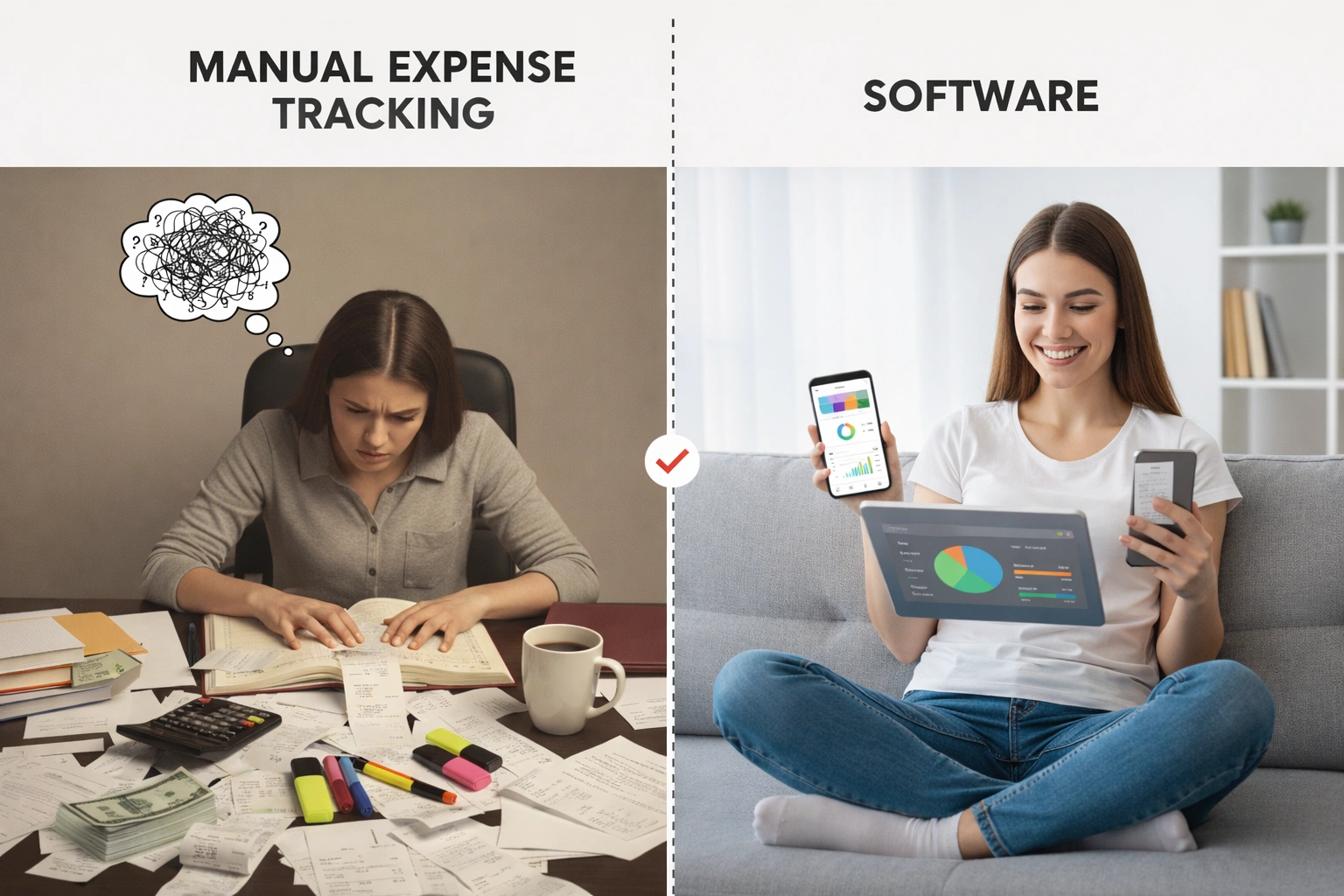
Manual expense tracking or using software. Which one is actually saving you time and money?
For every business owner, the question eventually comes up: Is the way I track business expenses actually saving me time, or is it creating more work for me and my employees?
Many businesses start with simple methods such as spreadsheets, paper receipts, digital folders, and even memory. These methods may seem inexpensive and easy to manage when a business is small. However, as the business grows, manual expense tracking can become time-consuming, difficult to organize, and more prone to errors.
Let us break down the differences between manual expense tracking and using expense tracking software so you can understand how each approach affects your time, accuracy, reporting, and financial management.
The Manual Method: Familiar, Flexible & Fraught with Risk
1. Spreadsheets and Manual Data Entry
Spreadsheets are a common way to track business expenses. You or your bookkeeper have to enter transaction details manually, categorize expenses, update records, and maintain the spreadsheet regularly.
While spreadsheets can be useful for small businesses with limited transactions, manual data entry becomes increasingly time-consuming as the number of expenses grows. A single typing mistake can also affect reports and financial records.
2. Paper Receipts and Digital Folders
Many businesses still store receipts in physical envelopes, folders, or unorganized digital folders. Finding a specific receipt later can take considerable time, especially when there are hundreds of transactions.
Keeping receipts organized is important for maintaining accurate expense records and supporting financial reporting.
3. Memory and Sticky Notes
Some business owners rely on memory, notes, emails, or messages to remember what they spent money on and why.
This approach may work for occasional expenses, but it becomes difficult to maintain when employees and business transactions increase. Important receipts can be misplaced, expenses can be forgotten, and records may not be updated consistently.
Automated Data Capture: Accurate & Action-Oriented
Manual expense tracking requires businesses to enter information repeatedly. Automated systems can reduce this workload by capturing expense information digitally.
Modern expense management solutions can support features such as bank transaction imports and receipt scanning, reducing the amount of information that needs to be entered manually.
Automated Receipt and Transaction Capture
Instead of manually entering every transaction, businesses can capture expense information digitally. Employees can also scan receipts using their smartphones, helping keep supporting documents connected with expense records.
This makes expense tracking faster and reduces the possibility of errors caused by repeated manual data entry.
Digital Workflows
Digital workflows can also simplify the expense approval process.
For example, when an employee submits an expense, the request can be routed to the appropriate person for approval. Once approved, the expense information can be passed to the accounting team for further processing.
This reduces the need for lengthy email chains and helps businesses maintain a more consistent approval process.
The Centralized Database
A centralized expense system keeps transactions, receipts, and reports organized in one place.
Instead of searching through different spreadsheets, paper folders, emails, or digital files, businesses can access expense information from a centralized system.
A searchable digital record also makes it easier to review previous transactions and find supporting receipts when needed.
Live Dashboards
Real-time dashboards give businesses a clearer view of their financial activity.
Instead of waiting until the end of the week or month to compile information, businesses can review spending, transaction activity, expense categories, and budget information more quickly.
This visibility can help business owners understand where money is being spent and make decisions using more current financial information.
The Real Benefits of Automated Expense Tracking
1. Save Time
Manual expense entry can take hours every week. Automating repetitive tasks can reduce the amount of time employees and business owners spend entering, organizing, and reviewing expense information.
The time saved can then be used for more important business activities.
2. Reduce Errors and Improve Consistency
Manual data entry increases the possibility of typing mistakes, duplicate entries, missing receipts, and inconsistent categorization.
Software can automate repetitive processes such as categorizing transactions, identifying duplicates, and applying predefined rules. This helps businesses maintain more consistent expense records.
3. Improve Visibility
When expense information is recorded and organized digitally, businesses can review their spending more easily.
Instead of relying on outdated spreadsheets or manually prepared reports, business owners can get a clearer picture of current expenses and financial activity.
The Software Solution: Automated, Accurate & Action-Oriented
The cost of manual expense tracking is not limited to software or employee salaries. Businesses also need to consider the time spent entering data, organizing receipts, correcting errors, preparing reports, and following up on approvals.
For example, if an employee spends several hours every week maintaining expense records, that time has a real business cost.
Expense tracking software can automate many of these repetitive activities, helping businesses reduce manual work and improve the accuracy of their records.
Modern business software is also designed to simplify everyday financial processes. Instead of maintaining multiple spreadsheets and folders, businesses can manage expense information through a centralized system.
Maintaining Control with Better Data
Some business owners may worry that moving from spreadsheets to software means losing control.
In reality, having organized and accessible data can provide greater visibility into business spending. Instead of spending time entering information manually, business owners can focus on understanding the data and using it to make financial decisions.
The goal is not simply to store more information. The goal is to make financial information easier to understand and act upon.
Side-by-Side Comparison: Manual vs Automated Expense Tracking
| Area | Manual Expense Tracking | Expense Tracking Software |
|---|---|---|
| Data Entry | Manual, slow, and prone to errors | Automated through digital capture and integrations |
| Real-Time Visibility | Information may be days or weeks behind | Faster access to current expense information |
| Receipt Management | Physical storage or scattered digital folders | Digital and searchable records |
| Approval Workflows | Email chains and manual follow-ups | Structured routing and status tracking |
| Reporting & Insights | Manual compilation and static reports | Automated reports and expense insights |
| Audit Preparation | Time-consuming document collection | Organized digital records and supporting documents |
| Scalability | Becomes difficult as transaction volume increases | Designed to handle growing transaction volumes |
Scalability: When Manual Tracking Becomes a Problem
Manual expense tracking may be manageable when a business has only a small number of transactions.
As the business grows, however, the number of employees, receipts, expenses, suppliers, and transactions can increase significantly.
Maintaining multiple spreadsheets and manually processing every expense can become increasingly difficult.
A digital expense management system can scale with the business by providing a centralized process for capturing, reviewing, approving, and reporting expenses.
When Have You Outgrown Manual Expense Tracking?
Your business may be ready to move away from manual expense tracking if:
1. You Spend Several Hours Every Week on Bookkeeping Tasks
If you or your employees regularly spend hours entering transactions, organizing receipts, or preparing expense reports, automation could reduce this repetitive workload.
2. You Make Costly Data-Entry Mistakes
If a typing error, duplicate transaction, or missing receipt has already caused financial problems, relying entirely on manual processes can become risky as transaction volumes increase.
3. You Do Not Have a Clear View of Current Spending
If you are unsure how much your business is spending or where the money is going, manually maintained records may not provide the visibility you need.
Real-time or frequently updated expense information can make it easier to understand spending and cash flow.
4. Financial Decisions Are Delayed
If you have to wait for someone to update a spreadsheet or prepare a report before making financial decisions, the process can slow down your business.
Having organized expense data available when you need it can support faster financial decision-making.
5. Expense and Tax Records Take Too Much Time to Prepare
Maintaining accurate expense records and supporting documents can make financial reporting and tax-related preparation easier.
A digital system can help keep transactions and receipts organized instead of requiring employees to search through multiple folders and spreadsheets.
The LEDGERS Difference: More Than Just Tracking
Choosing expense management software is not only about making expense tracking easier. It is also about creating a clearer view of how your business spends money.
With LEDGERS, expense management can work alongside purchase invoices, bill payments, and accounting processes.
This means expense information can become part of a broader financial workflow instead of remaining isolated in a spreadsheet.
1. Connect Expenses With Financial Transactions
When a business records an expense, it may also create a payable that needs to be settled. Connecting these financial activities helps businesses understand the relationship between expenses, payables, and payments.
2. Use Spending Data for Financial Analysis
Expense information contributes to understanding profitability and cash flow.
Organized spending data can help businesses review where money is being spent and use that information when preparing financial reports and planning future expenses.
3. Manage Information From One Place
A centralized system gives businesses a single place to manage and review important financial information.
Instead of depending on multiple spreadsheets and disconnected records, businesses can work with a more structured source of financial data.
Conclusion: Invest in Clarity, Not Just Compliance
Manual expense tracking is mainly focused on recording what has already happened. Automated expense management can go further by helping businesses organize spending information, reduce repetitive work, and gain better visibility into their financial activity.
The question is not simply whether you can afford to use software. You should also consider the cost of the time spent on manual data entry, receipt organization, error correction, reporting, and approval follow-ups.
Your time is valuable, and accurate financial data is important for making business decisions. A process that reduces repetitive work and keeps expense information organized can help your business operate more efficiently as it grows.
Ready to turn expense tracking from a time-consuming chore into a more efficient process? Explore expense management software to automate expense tracking and improve financial visibility.