




ATCHAYA M
Updated on
30-07-2026
Common Data Entry Mistakes in e-Invoicing and How to Avoid Them
When it comes to electronic invoicing, the accuracy of data is crucial. In traditional invoicing, minor errors could be rectified later; however, electronic invoicing requires accurate information to be uploaded into the system at the time of the invoice creation process. Since invoices are verified through the IRP (Invoice Registration Portal), any minor issues with the invoice may result in the invoice being rejected and cause complications during the preparation of the GST return.
While there are times where a complication occurs due to the failure of complex systems, in most cases, the complication occurs due to errors in the data entry portion of the process. Understanding and being aware of the errors that commonly occur, and taking steps to avoid those errors, can save businesses a great deal of effort and time.
Incorrect GSTIN Details
Incorrectly entering GSTIN numbers into the e-Invoice system is one of the most frequent errors in the e-Invoicing process. This error may be due to mistakenly typing a wrong number(s); using incorrect or out-of-date customer records; or failing to differentiate between customers sharing similar names.
While a very small error can occur for GSTINs when compared to invoices, there can still be negative consequences resulting from erroneous GSTIN numbers including:
- Invoice being rejected
- Incorrectly reporting taxes
- Customer not being able to claim ITC
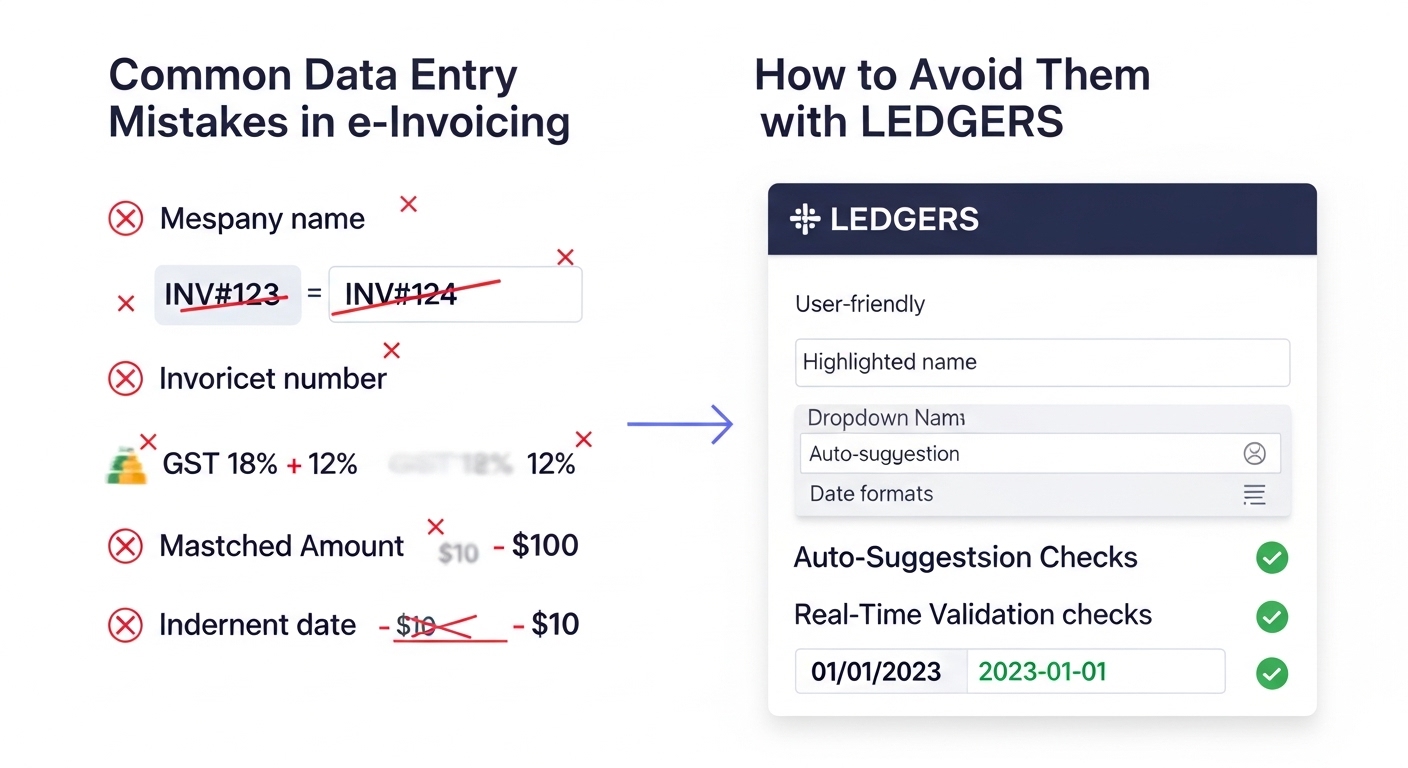
To assist in reducing the number of times that these errors can occur, businesses should ensure their customer master file is updated and should avoid physically typing in the GSTIN when creating an e-Invoice. Instead, using the drop-down feature to select a GSTIN from their master data would significantly reduce the number of times that errors occur from typing in a GSTIN for the creation of an e-Invoice.
Mismatch in Invoice Values and Tax Calculation
Another common issue is incorrect calculation of invoice values or tax amounts. This often happens when:
- Tax rates are applied incorrectly
- Discounts are not accounted for properly
- Total invoice value does not match item-level values
Such mismatches can cause validation failures during IRN generation or create discrepancies during GST return filing.
A good practice is to always review the total invoice value and tax breakdown before finalizing the invoice.
Missing Mandatory Fields
e-Invoicing requires certain mandatory fields such as:
- HSN or SAC codes
- Place of supply
- Invoice date
- Document type
Missing any of these can lead to rejection from the IRP. In manual processes, it is easy to overlook these fields, especially during busy periods.
Using structured invoice formats and checklists can help ensure that all required details are filled in correctly.
Incorrect Invoice Numbering
Invoice numbering might seem like a simple task, but it often causes issues. Common mistakes include:
- Duplicate invoice numbers
- Skipping numbers unintentionally
- Using inconsistent formats
Since invoice numbers must be unique within a financial year, duplication can result in rejection or confusion during reconciliation.
Maintaining a consistent numbering pattern and allowing the system to generate invoice numbers can help avoid such problems.
Wrong Supply Type Selection
Selecting the correct supply type is important for GST classification. Mistakes often occur when:
- Interstate supply is marked as intrastate
- Export invoices are treated as regular sales
- Reverse charge is not indicated correctly
These errors affect tax calculation and reporting. Once the invoice is generated, correcting these mistakes becomes more complicated.
Understanding basic GST classifications and double-checking the supply type before submission is essential.
Errors in Customer or Address Details
Sometimes, even when GSTIN is correct, address-related details such as state code or place of supply may be incorrect. This can lead to tax being applied incorrectly or mismatches in reporting.
Ensuring that customer details are properly maintained and verified helps prevent such issues.
Editing Data After IRN Generation
A common mistake businesses make is trying to modify invoice details after IRN has already been generated. Once an invoice is registered, its core details cannot be changed.
Any correction requires issuing a credit note or debit note, which adds extra steps to the process.
This is why it is important to review the invoice carefully before generating IRN.
Rushing During High-Volume Periods
Many data entry mistakes happen during month-end or high-volume billing periods when teams are under pressure. In such situations, speed often takes priority over accuracy.
However, mistakes made during this time usually lead to more work later in the form of corrections and reconciliation.
Taking a few extra seconds to verify invoice details can prevent much larger issues later.
How to Reduce Data Entry Errors
Avoiding mistakes in e-Invoicing is not about working harder — it’s about working more systematically. Some simple practices include:
- Maintaining clean master data
- Using structured invoice formats
- Avoiding manual re-entry of common details
- Reviewing invoices before submission
- Training teams on basic GST requirements
Over time, these practices become part of routine work.
Conclusion
Data entry mistakes are one of the most common causes of issues in e-Invoicing. While these errors may seem small, they can lead to invoice rejection, reporting mismatches, and additional compliance work.
By focusing on accuracy at the source and following simple validation practices, businesses can significantly reduce errors and improve their overall invoicing process. A careful and structured approach ensures smoother operations and more reliable GST compliance.